


How to Organize Your DJ Music Library Like a Pro (And Never Lose a Track Again)

You're mid-set. The energy is building. You know the perfect next record — but you can't find it. You're scrolling, searching, typing in partial names while the current track is heading to the outro. That panic? That frustration? That's a library problem, not a skill problem. And it happens to DJs at every level who haven't dialled in their workflow.
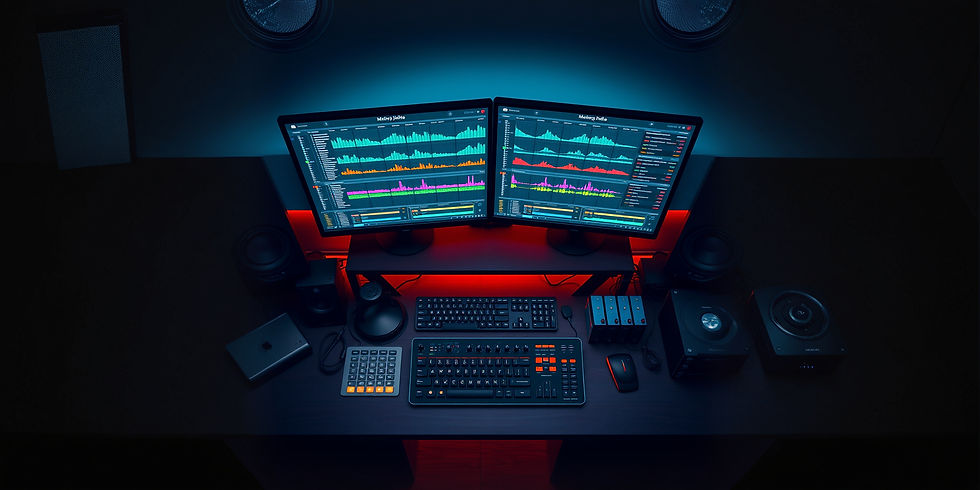
Let me break down the exact music library organization system I use — built after years of working clubs, events, and building the Vicknick Video Pool content library. This system works whether you're running Rekordbox, Serato, Virtual DJ, or any other platform.
Why Most DJ Libraries Are a Mess
Most DJs collect music fast but organize slowly. Downloads pile up in one folder. Files are inconsistently named. BPM tags are wrong or missing. Genre tags are vague or non-existent. Key information? Forget it. The result is a library that grows bigger every week but becomes less and less usable.
The truth is, a messy library kills creativity. When you can't navigate your crates confidently, you fall back on the same 50 tracks every gig. A well-organized library unlocks your full potential because you can find exactly what the moment calls for, exactly when you need it.
Step 1: Build Your Master Folder Structure
Start with a clean master folder on your external hard drive (always use external — laptops fail). Your root folder structure should look something like this:
NEW DOWNLOADS — Your intake folder. Everything lands here first before being sorted.
GENRES — Subfolders: Afrobeat, Amapiano, Hip Hop, R&B, Dancehall, Gengetone, EDM, House, Throwbacks
DJ EDITS — Subfolders: Intro Edits, Redrums, Mashups, Acapellas, Clean Edits, Outro Edits
SETS BY ENERGY — Subfolders: High Hype, Mid Energy, Low/Vibes, Slow Jams, Openers, Closers
EVENT PACKS — Subfolders by event type: Club Night, Wedding, Corporate, Festival, Private Party
SOUND FX — Drops, Sweeps, Sirens, DJ Tools, Transitions
ARCHIVE — Old records you rarely play but won't delete
Step 2: Tag Every Track Before It Enters Your Library
This is the step most DJs skip and then regret. Every track that enters your library should have correct metadata:
Title — Clean, consistent naming. Artist - Title (Version). Example: Burna Boy - Last Last (DJ Vicknick Intro Edit)
BPM — Use your software's BPM analyzer. Double-check for tracks with unusual timing.
Key — Enable harmonic mixing by tagging the musical key of every track.
Genre — Be specific. "Afrobeat" is better than "World." "Amapiano" is better than "House."
Year — Useful for building throwback playlists quickly.
Energy Rating — Use the comment field or color-coding in your software to rate energy level (1–5 or Low/Mid/High).
Step 3: Build Smart Playlists for Different Gig Types
Once your library is tagged and organized, start building targeted playlists for each type of gig you play. A wedding set needs different music from a Friday night club set, and your library should reflect that without you having to rebuild your playlist from scratch every time.
Build these playlists and keep them updated monthly: Club Night (peak hour), Club Night (warm-up), Wedding (first dance/slow set), Wedding (party floor), Corporate (background/cocktail), Corporate (dance floor), Private (all-request), Festival (big room). These become your instant-load setlists for any gig.
Step 4: Separate Hype Tracks From Vibe Tracks
This is a game-changer that most DJs overlook. Not all tracks in the same genre have the same energy output. A slow Amapiano groove and an aggressive Amapiano banger are both Amapiano — but they serve completely different moments in a set. Create a separate tag or color label for "HYPE" and "VIBES" across all your genres.
When the crowd hits peak energy, you scroll to HYPE. When it's time to pull back and breathe, VIBES. This dual-energy system means you never accidentally drop a slow record when the room is at 100, and you never blast a hype track when you're trying to hold the vibe.
Step 5: Update and Maintain Weekly
A library you don't maintain becomes a library you don't trust. Set aside time every week — even just 30 minutes — to process your NEW DOWNLOADS folder. Sort every new track, tag it, rate its energy, and assign it to the right playlists. Delete anything that doesn't make the cut. Keep your crates lean and purposeful.
This is the professional DJ discipline that separates DJs who grow from DJs who stagnate. Your library is your toolbox. A disorganized toolbox means a frustrated craftsman.
Where to Get Pre-Organized, DJ-Ready Music
Here's the real value of using a dedicated DJ music pool: you get tracks that are already pre-organized, properly tagged, and formatted for DJ use. No digging through streaming rips or poorly-named downloads. At Vicknick Video Pool, every piece of content is curated with the working DJ in mind — genre-sorted, energy-rated, and formatted with clean intro/outro structure.
DJ pools exist to solve the exact problem that kills DJ workflow: messy, unorganized, low-quality music sources. When your content source is organized and professional, your library management becomes dramatically easier.
Lock In Your Workflow. Level Up Your Sets.
A tight workflow means more confidence behind the decks, smoother transitions, better crowd reading, and less stress at every gig. The DJs who show up prepared — with organized crates, smart playlists, and properly tagged libraries — are the DJs who get booked again and again.
Looking for DJ-ready edits, remixes, throwbacks, and genre-organized music collections? Explore Vicknick Video Pool for curated DJ content built for real working DJs. Download hype and low-hype versions for different events, access exclusive edits and remixes unavailable on streaming platforms, and keep your crates always fresh.
Visit www.vicknickvideopool.com and take your DJ workflow to the next level.
Product Title
16 px collapsible text is perfect for longer content like paragraphs and descriptions. It’s a great way to give people more information while keeping your layout clean. Link your text to anything, including an external website or a different page. You can set your text box to expand and collapse when people click, so they can read more or less info.
$320

Product Title
16 px collapsible text is perfect for longer content like paragraphs and descriptions. It’s a great way to give people more information while keeping your layout clean. Link your text to anything, including an external website or a different page. You can set your text box to expand and collapse when people click, so they can read more or less info.
$900

Product Title
16 px collapsible text is perfect for longer content like paragraphs and descriptions. It’s a great way to give people more information while keeping your layout clean. Link your text to anything, including an external website or a different page. You can set your text box to expand and collapse when people click, so they can read more or less info.
$560
Product Title
16 px collapsible text is perfect for longer content like paragraphs and descriptions. It’s a great way to give people more information while keeping your layout clean. Link your text to anything, including an external website or a different page. You can set your text box to expand and collapse when people click, so they can read more or less info.
$280

Comments